Connecting Containers
Connecting the Containers to each other
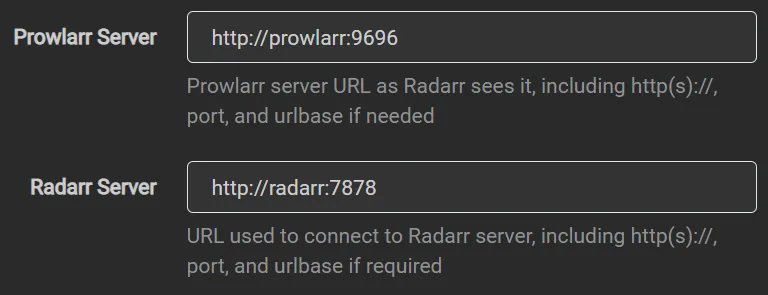
Section titled “Connecting the Containers to each other”When connecting containers together, such as Prowlarr to Sonarr and Radarr or Sonarr/Radarr to Seerr, use the container name (e.g. prowlarr or radarr) and the container port (e.g. prowlarr:9696 or radarr:7878).
For the names and port of each container to use, get the Container Name and Container Port values from the Container Map.
Prowlarr Example
Section titled “Prowlarr Example”Here’s an example within Prowlarr that would connect it to Radarr:
HTTP Proxy for Arr Services
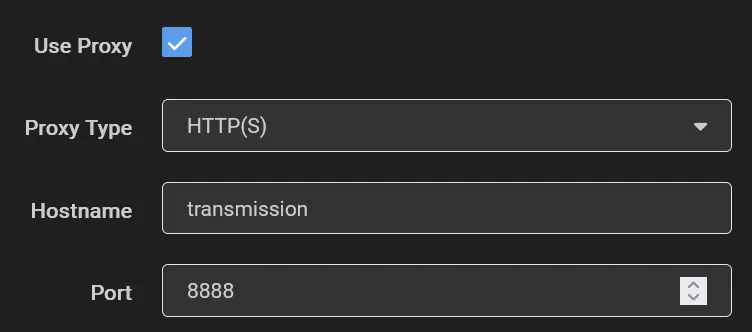
Section titled “HTTP Proxy for Arr Services”Transmission, qBittorrent, and Deluge all have a HTTP proxy that will route requests through the VPN connection.
You can configure other apps to connect to these containers proxy services by using transmission:8888, qbittorrent:8118, or deluge:8118, depending on which you are using.