Custom Scripts
Settings Manager Script
Section titled “Settings Manager Script”The settings_manager.py script can be used to manage the yml files instead of modifying them manually (especially the container map).
To use the manager, run:
make managerPlex SSL Conversion Script
Section titled “Plex SSL Conversion Script”A script that will convert the certficate generated by Traefik for use within Plex (PKCS#12 format) if you have a need for it.
Enabling the Plex SSL Conversion Script
Section titled “Enabling the Plex SSL Conversion Script”All variables listed below are in inventory/group_vars/all/plex.yml
To enable the Traefik-to-Plex Certificate script:
-
Change
hms_docker_plex_ssl_enabledtotrue -
Set
hms_docker_plex_ssl_public_hostnameto the publicly-accessible FQDN/hostname used to access Plex, such asplex.example.comormedia.public.example.coma. NOTE: It must match a hostname, wildcard, or SAN covered by the Traefik certificate. If it is not and you want to add a SAN, see the Traefik SSL docs
b. This FQDN should resolve to the public IP of the Plex server
The following settings are optional:
hms_docker_plex_ssl_update_config: If the script should auto-update the Plex config file with the certificate path and passphrase (if applicable)hms_docker_plex_ssl_restart_plex: If the script should restart the Plex container after the config has been updatedhms_docker_plex_ssl_cert_pass: The passphrase for the certificate if you want to further secure it, but it is not necessary
Running Manually
Section titled “Running Manually”If you wish to run the script manually after a known certificate change:
/opt/hms-docker/.venv/bin/python /opt/hms-docker/scripts/traefik_cert_convert.pyUptime-Kuma Media Availability Script
Section titled “Uptime-Kuma Media Availability Script”A script that will monitor for media availability within Plex.
Sometimes, a network connection goes down or NFS may not mount correctly after a reboot, so media will be marked as “Unavailable” within Plex even though the container is running.
This script will query the Plex API for the latest movie and check if Plex can actually access the file (based on the API response). If it cannot, it will notify Uptime-Kuma via a Push monitor. This is useful to quickly be notified of disk access issues.
The script runs on a cron job every minute
Enabling the Media Availability Monitoring Script
Section titled “Enabling the Media Availability Monitoring Script”All variables listed below are in inventory/group_vars/all/scripts.yml
To enable the script:
-
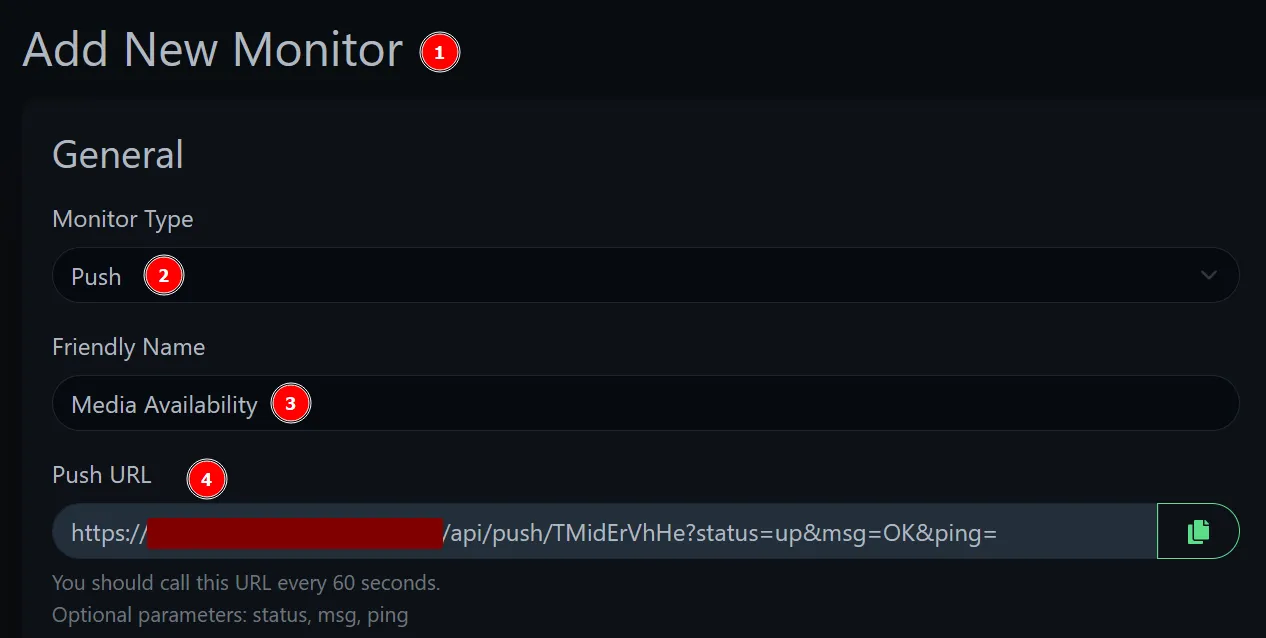
inventory/group_vars/all/scripts.yml monitoring_scripts_enabled: truemedia_avail_script_enabled: truemedia_avail_kuma_push_url: <URL from step 2 below> # remove `?status=up&msg=OK&ping=` from the end -
Create a “Push Monitor” within Uptime-Kuma, I recommend the following settings:
a. Heartbeat Interval: 90
b. Retries: 5
c. Heartbeat Retry Interval: 90