
Cloudflare Tunnel
Requirements and Enabling
Section titled “Requirements and Enabling”-
You will need to first generate a token by following the steps here
a. You can find the token here:
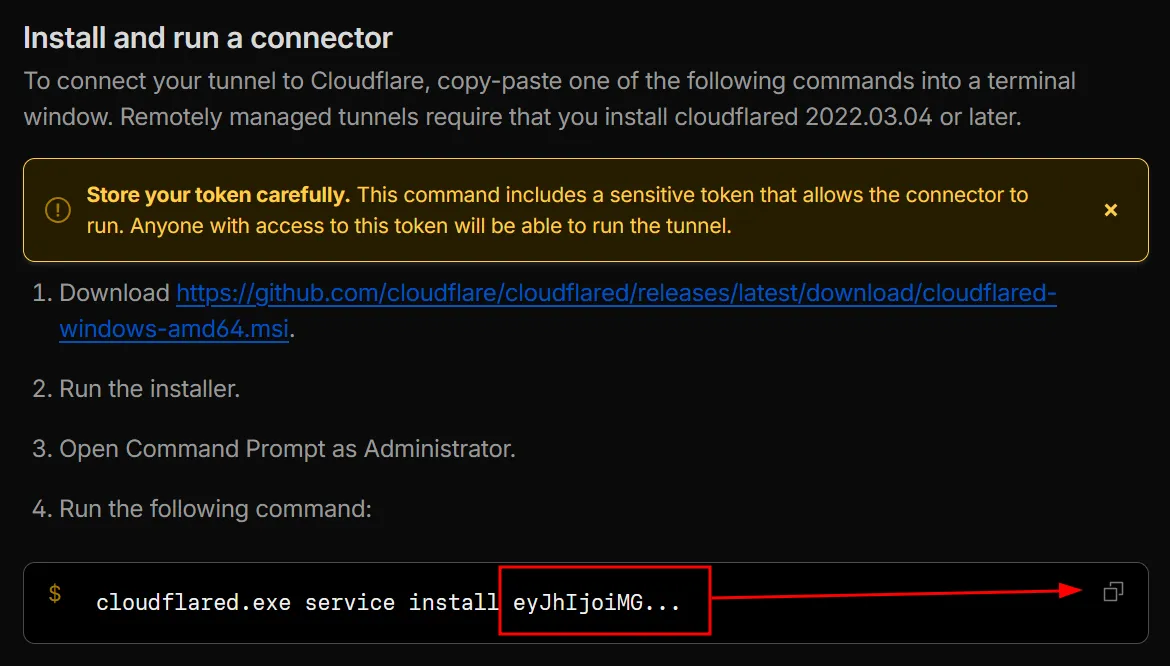
b. Once you copied the command it provides, paste it somewhere safe and then copy the long string of random text, that is your token
-
Once you’ve generated the token, update the variable in
inventory/group_vars/all/cloudflare.ymlwith the newly generated token:inventory/group_vars/all/cloudflare.yml cloudflare_tunnel_token: <token> -
Enable the container in
inventory/group_vars/all/container_map.yml -
After the container has been started, you should now see an active Connector in your Cloudflare dashboard
-
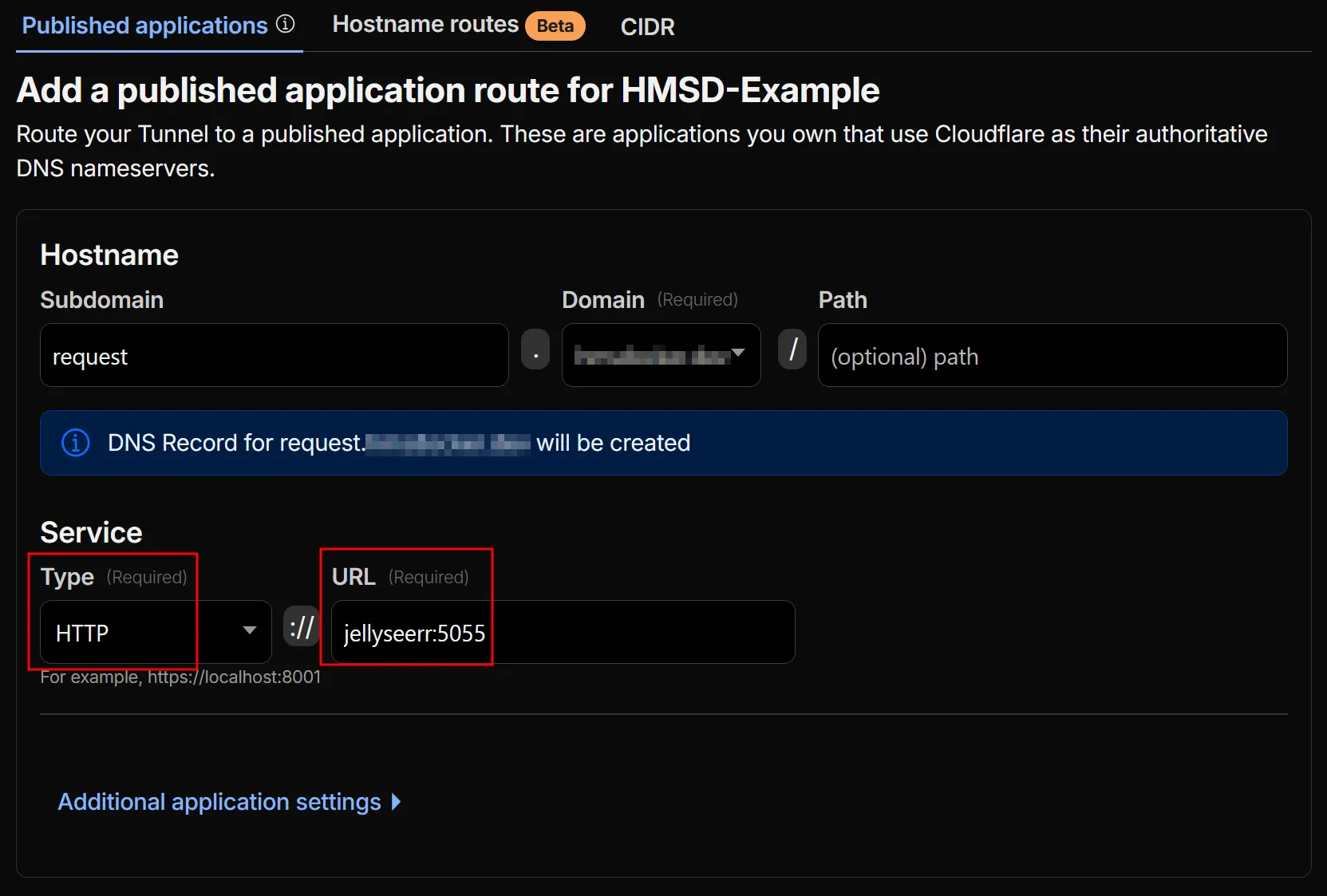
Follow the steps here to link containers to the tunnel, following the container map for the available container names and ports (use the container name as the “Service” name in the Cloudflare webgui, and append the port, e.g.
overseerr:5055)
Example:
Important Notes
Section titled “Important Notes”Using Authentik through Cloudflare Tunnel
Section titled “Using Authentik through Cloudflare Tunnel”See the Authentik docs for this project